Help and support from the Lance team
Requesting a Loan on the Web
All you need to know to apply for a loan directly from the Lance Credit website

Written by Temidayo Awosanmi
Requesting a loan is the core of your Lance Credit experience. Knowing the steps helps you apply smoothly and ensures your request is reviewed without delay.
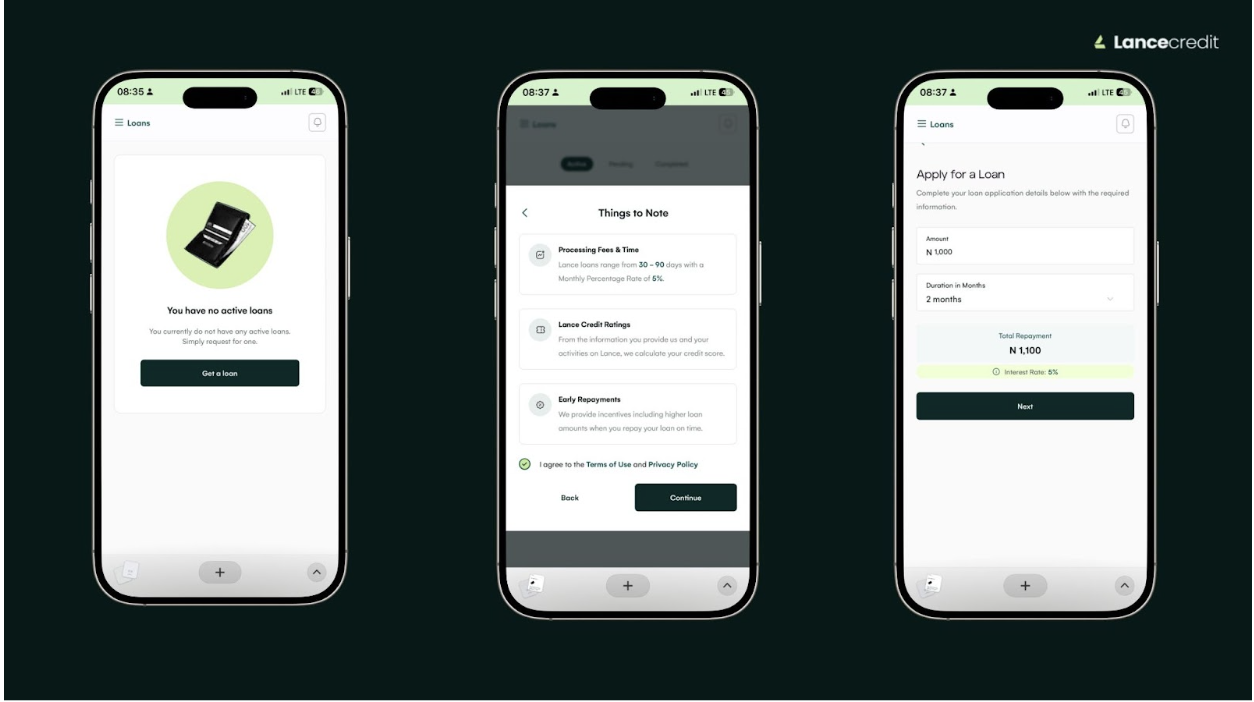
How to request a loan
- Open app.lancecredit.com on your mobile or desktop browser and log into your account.
- Tap the sidebar menu and select Loans.
- Click Get a Loan. A pop-up will appear with important information. Review the details carefully and tick the boxes to accept the Terms of Use and Privacy Policy.
- Enter the amount you want to borrow and choose a repayment duration of 1 month, 2 months, or 3 months.
- Review your loan summary to make sure all details are correct, then tap Submit.
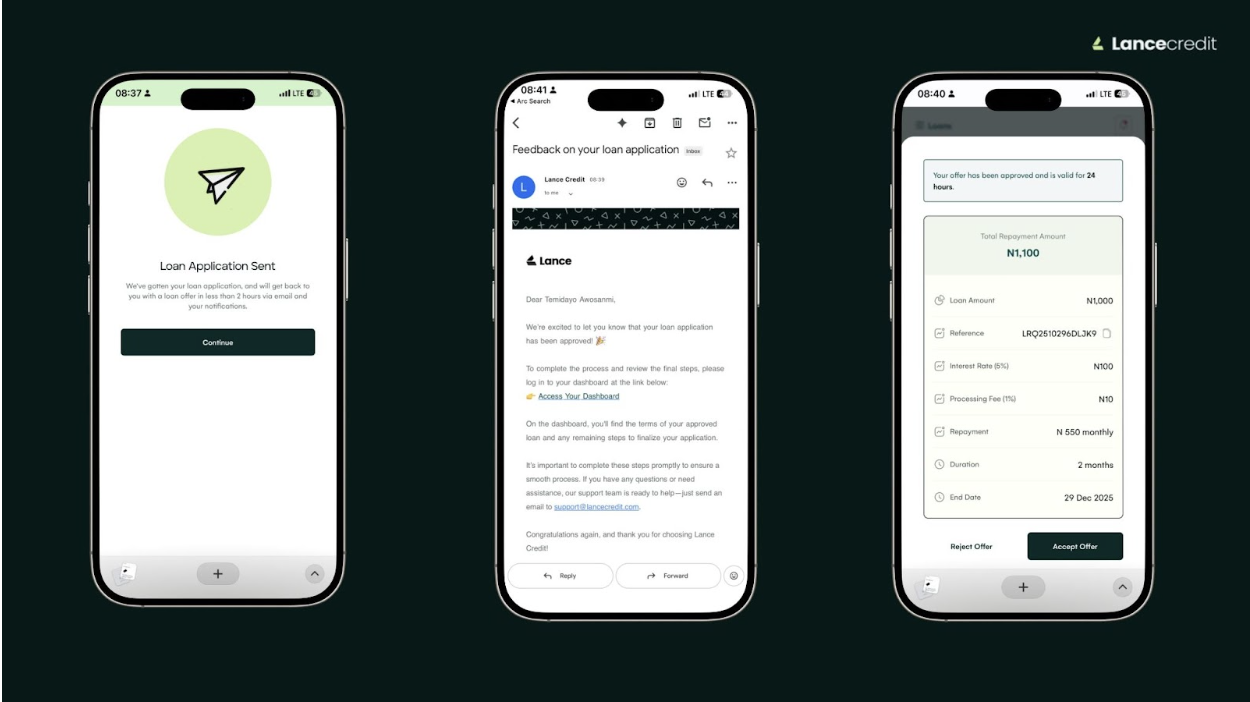
What’s next
Once your request is submitted, it will be reviewed. You will be notified via email within 24 hours as soon as a decision is made to either accept or decline the loan.
Tip: Make sure the account you linked is your active account where you can withdraw and receive your disbursed loan.
Related Articles