Help and support from the Lance team
Withdrawing Disbursed Amount from Your Wallet
All you need to know about moving money from your Lance wallet to your linked bank account

Written by Temidayo Awosanmi
Once your loan has been disbursed to your Lance wallet, you need to withdraw it to your bank account in order to use the funds. This process is quick and simple when your linked account is active and up to date.
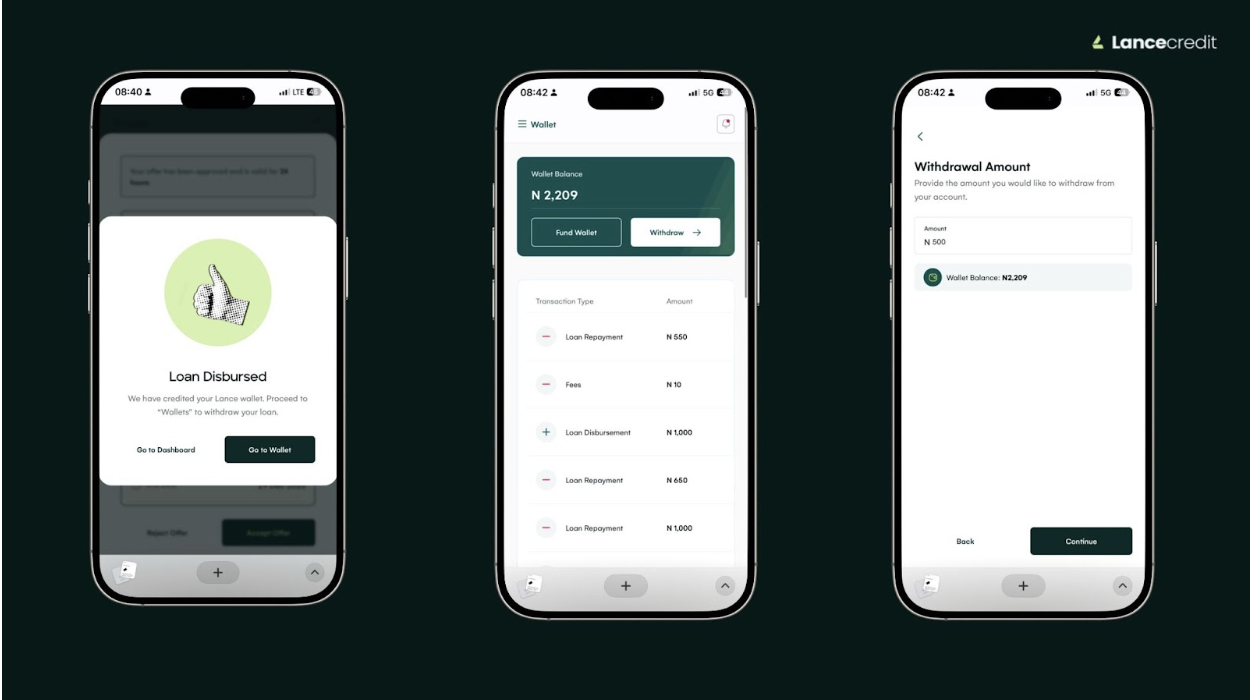
How to withdraw funds
- Log in to your account on the web at app.lancecredit.com.
- Tap the sidebar menu and select Wallet.
- On the wallet page, you will see your available balance.
- Tap Withdraw.
- Enter the amount you want to withdraw from your wallet.
- Confirm that the destination account is your linked account, then click Continue and Confirm.
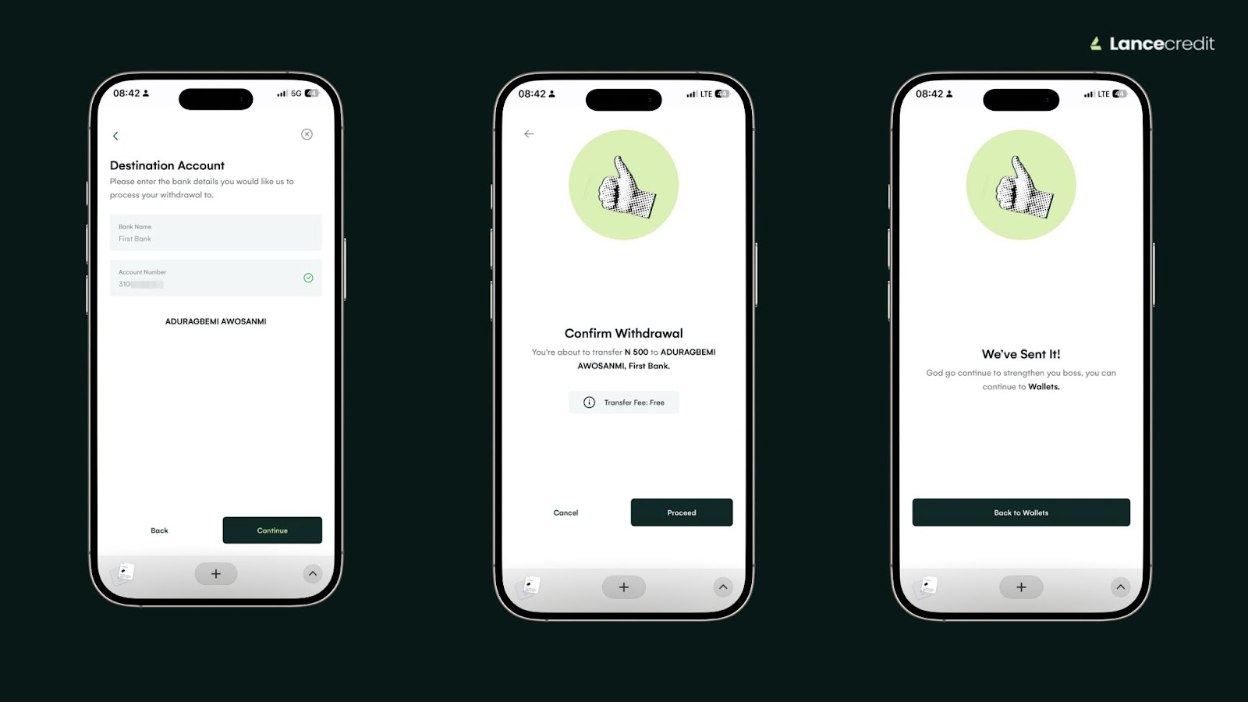
What’s next
Your withdrawal request will be processed and the funds will arrive in your linked bank account within an hour.
Tip: Always ensure that your linked account is active and able to receive funds before making a withdrawal.
Related Articles